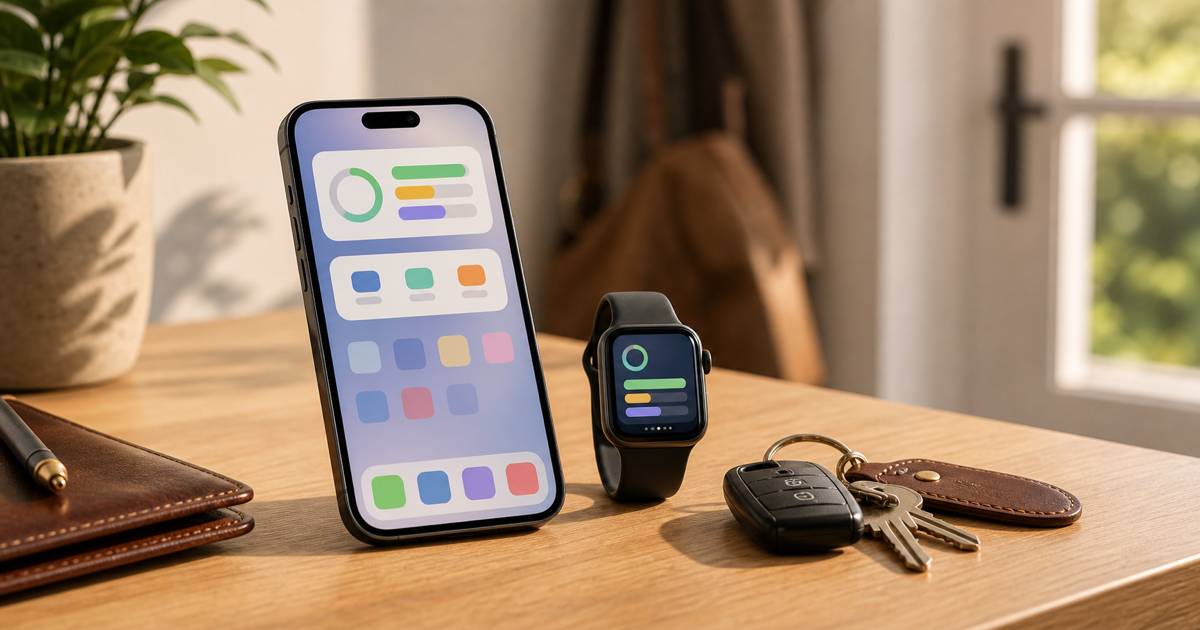
Put the spending signal where decisions happen
If the daily number only lives inside an app, you have to remember to open it. That is already too much friction for small decisions. A widget moves the signal to the Home Screen or Lock Screen, where you can glance before spending.
The point is not decoration. The point is reducing the time between wondering and knowing.
That timing matters because many spending decisions happen in motion. You are leaving the house, standing in line, ordering food, or deciding whether to add one more thing to the cart. If the money check requires a full app session, you will often skip it.
A widget turns the check into a glance. The best version does not ask you to interpret a dashboard. It shows the remaining amount or percentage, a status, and enough context to decide whether the next purchase deserves caution.
Use amount left or percentage left based on how you think
Some people need the exact amount left today. Others just need a pressure gauge. A percentage view can be enough when you want to know whether the day is still comfortable or getting tight.
The better display is the one you actually understand in one glance.
Amount left is useful when purchases are concrete. If the widget says you have $42 left for today, a $12 lunch and a $60 impulse buy feel very different. Percentage left is useful when you care more about direction than exact dollars, especially on small screens.
Do not choose the display that looks more impressive. Choose the one that changes behavior fastest. If exact amounts make you hesitate in a useful way, use them. If they make you overthink, use percentage as a simpler signal.
Let the Watch handle quick moments
Apple Watch is useful when pulling out your phone would slow you down. Checking the remaining amount, seeing bills due today, or recording a quick expense can happen from the wrist before the memory disappears.
Complications make the check even smaller. The signal sits on the watch face and updates as your snapshot changes.
The Watch is strongest for two jobs: quick awareness and quick capture. Awareness means seeing whether you are safe, close to limit, at the limit, or overspent without opening the phone. Capture means recording a small expense before it becomes another forgotten transaction.
That does not mean every financial task belongs on the wrist. Editing categories, reviewing a long history, or cleaning up a month of transactions is better on the phone. The Watch should handle the moments where speed matters more than depth.
Keep widgets tied to a real balance
A widget is only useful if it is showing the balance you care about. If you use multiple balances, choose the one that controls daily spending. Otherwise, the glance becomes noise.
This is especially important if you separate money into different accounts. A savings balance might make you feel safe even when the daily spending account is tight. A bill-pay balance might look low because it is doing its job. The widget should show the balance that answers the daily spending question.
If the wrong balance is pinned, the widget becomes worse than useless. It gives you confidence from the wrong account.
Make the glance part of a real habit
Place the widget where you will see it before spending. For some people that is the first Home Screen. For others it is the Lock Screen. If you wear an Apple Watch, a complication can make the signal visible without even touching the phone.
The habit should be boring: glance, decide, move on. If the status is safe, you can make the ordinary purchase. If it is close to limit, the purchase needs a reason. If it is at the limit or overspent, the next discretionary purchase should probably wait.
That is the point of pushing the signal closer to the decision. The app does not need to lecture you. It needs to show the right number early enough to matter.
Use quick record when memory is weakest
Small purchases are easy to forget because they do not feel important in the moment. But several small unrecorded purchases can make the remaining number stale. A widget or Watch shortcut helps because the recording step is available immediately.
Use quick record for the purchases that would otherwise disappear: coffee, snacks, parking, small errands, and casual spending. The faster those enter the system, the more useful the daily signal stays.
Know when a glance is not enough
A widget is for quick decisions, not full diagnosis. If the status looks wrong, the remaining number changed more than expected, or a large purchase is coming up, open the app and check the details. The glance should tell you when deeper review is needed.
That boundary keeps widgets useful. They should reduce routine friction, not hide complexity when complexity matters. Use the glance for ordinary purchases, and use the full app when the decision could change the week.
Related reading
Widgets work best when they support a clear weekly money check and a simple safe-to-spend decision.
Spending Pulse supports Home Screen widgets, Lock Screen widgets, Apple Watch, and complications. You can check remaining today, jump into Pulse, or record spending quickly without turning a small decision into a full review.